Boutique
Know which sizes are left on the rack
Give each size and color a separate SKU. Completed sales update stock for inventory-tracked items; the option matrix does not create or group product variants.
View focused guideSolutions
Choose a business need first, then open the boutique or gift-shop guide closest to your operation. For broader store fit, use the business-type directory.
Business need 1
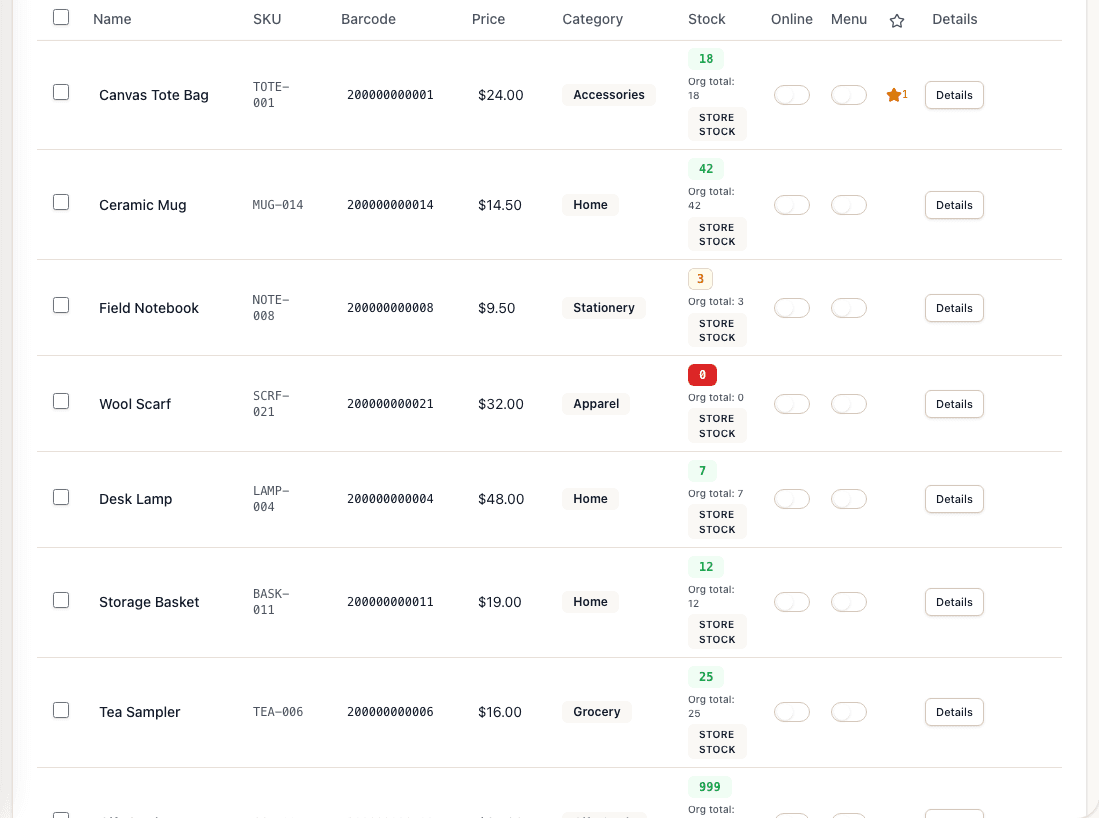
Stock counts that update when you sell. Compare the two focused guides below to see how the workflow changes with the catalog and customer experience.
Boutique
Give each size and color a separate SKU. Completed sales update stock for inventory-tracked items; the option matrix does not create or group product variants.
View focused guideGift Shop
Gift shops carry cards, candles, decor, and seasonal items in one store. Tillr tracks stock by category, supports barcode lookup, and flags fast movers before shelves go empty.
View focused guideBusiness need 2
Reward the customers who come back. Compare the two focused guides below to see how the workflow changes with the catalog and customer experience.
Boutique
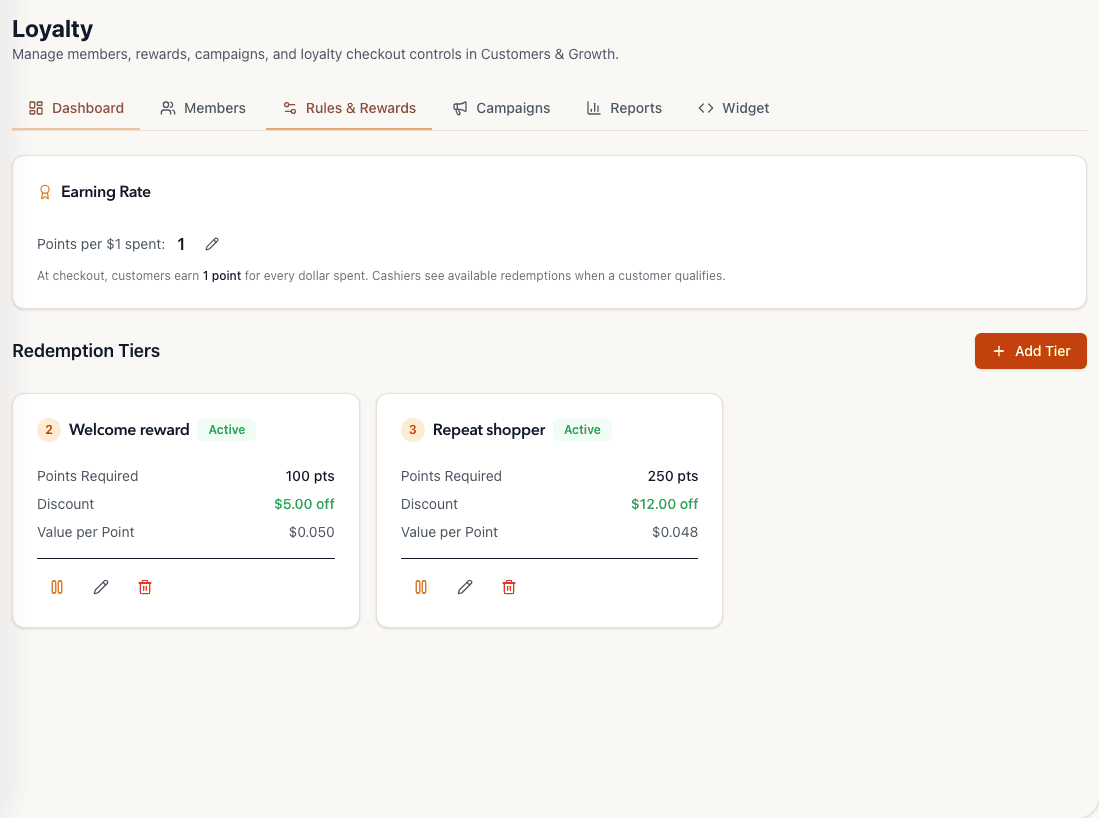
Attach a customer at the counter, apply points and configured rewards, and review loyalty activity in the dashboard. Staff see balances at checkout — not full purchase history at the register.
View focused guideGift Shop
Run points on gift purchases, set redemption rules your team understands, and attach customers at checkout. Loyalty lives in the same Tillr catalog and reporting you already use.
View focused guideBusiness need 3
Keep the line moving at the counter. Compare the two focused guides below to see how the workflow changes with the catalog and customer experience.
Boutique
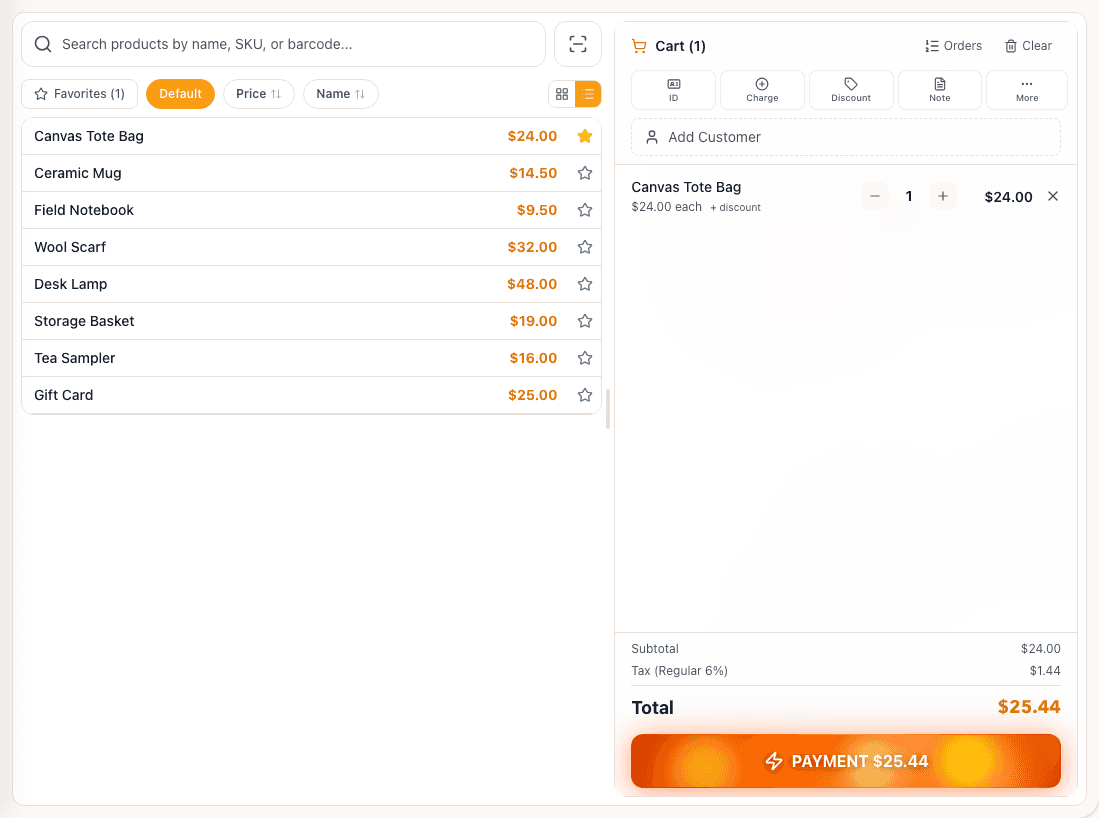
iPad checkout with a configurable product grid, barcode scanning, and split payments. Favorites and search help staff find the right variant when the line backs up.
View focused guideGift Shop
Scan-heavy checkout for mixed catalogs: barcode lookup, product search, scheduled discounts, and receipts by text or email when configured.
View focused guideBusiness need 4
Move your catalog into Tillr with review. Compare the two focused guides below to see how the workflow changes with the catalog and customer experience.
Boutique
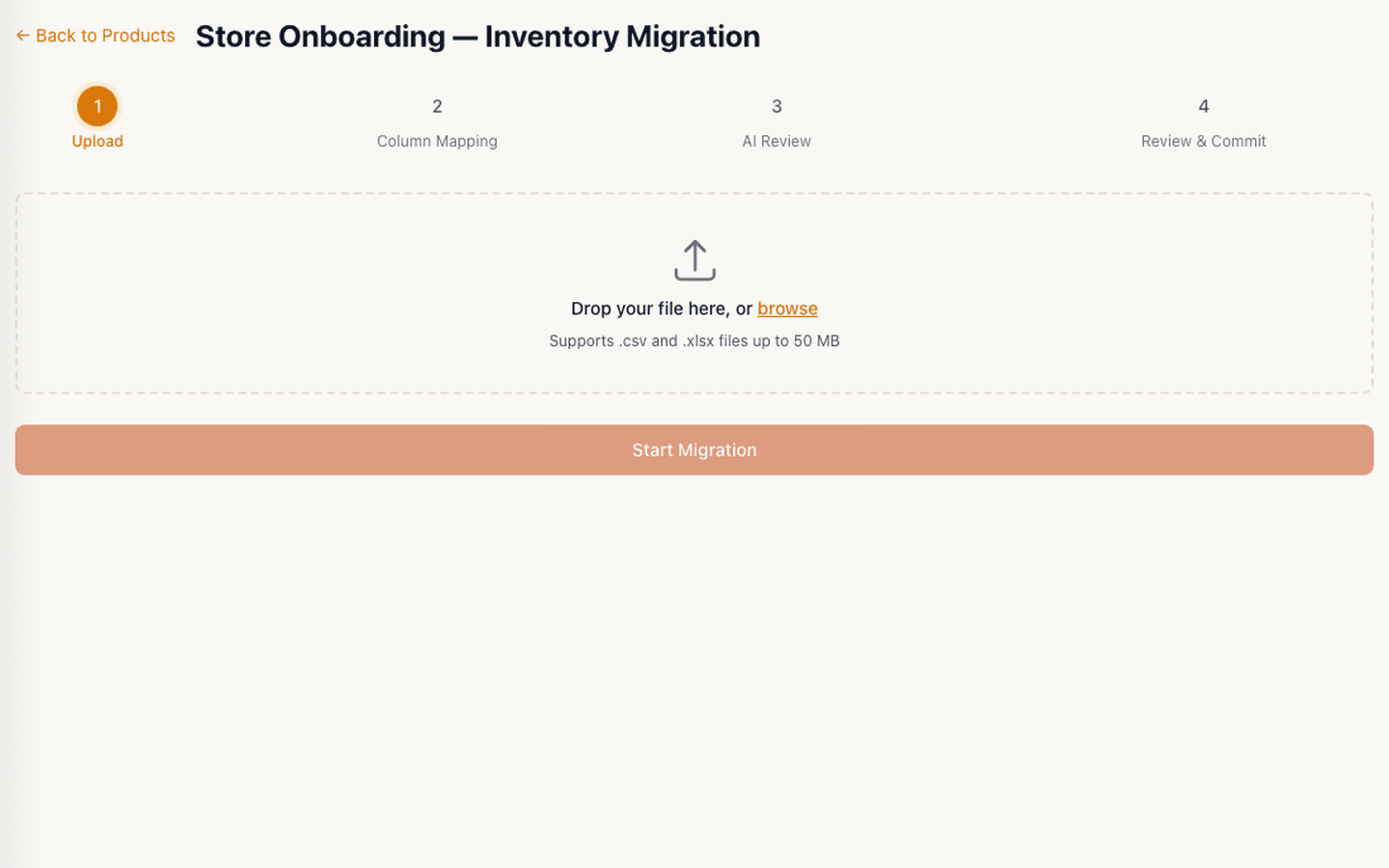
Import CSV or XLSX product exports, map columns to Tillr fields, and review rows before product commit. Mapping confirmation can create category or tax setup first, and not every legacy layout is supported.
View focused guideGift Shop
Move a product catalog from a spreadsheet or recognized POS export into Tillr. Map columns, review rows, and verify categories, prices, stock, and barcodes after commit.
View focused guideBusiness need 5
Keep selling when the internet drops. Compare the two focused guides below to see how the workflow changes with the catalog and customer experience.
Boutique
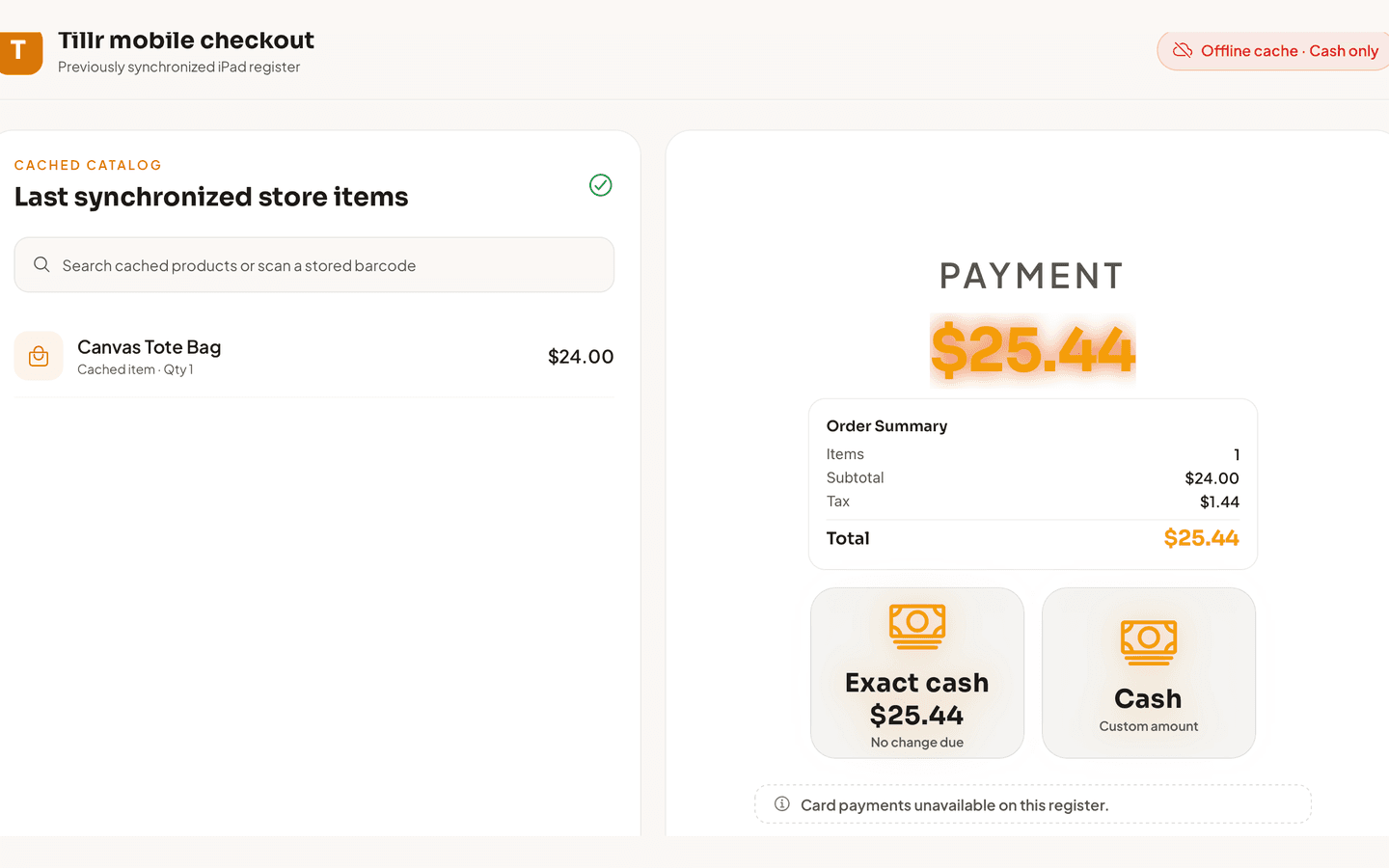
Product catalog is cached on the iPad. Staff can search, scan barcodes, and take cash payments offline. Card payments need a connection — review queued sales after reconnecting.
View focused guideGift Shop
Cached product lookup and cash checkout keep the line moving during outages. Card payments wait for connectivity, and queued sales should be reviewed after reconnecting.
View focused guideCompare current pricing terms or browse Tillr by business type before deciding where to start.