Is the full catalog available offline?
The product catalog is cached on the device for search and barcode lookup during outages.
Offline Mode for gift shops and specialty stores
Cached product lookup and cash checkout keep the line moving during outages. Card payments wait for connectivity, and queued sales should be reviewed after reconnecting.

Common friction
Three problems gift shops and specialty stores run into with offline mode.
Peak season outages stop checkout right when lines are longest.
Staff re-enter sales by hand after Wi‑Fi returns.
Nobody trusts the totals until someone reconciles the day manually.
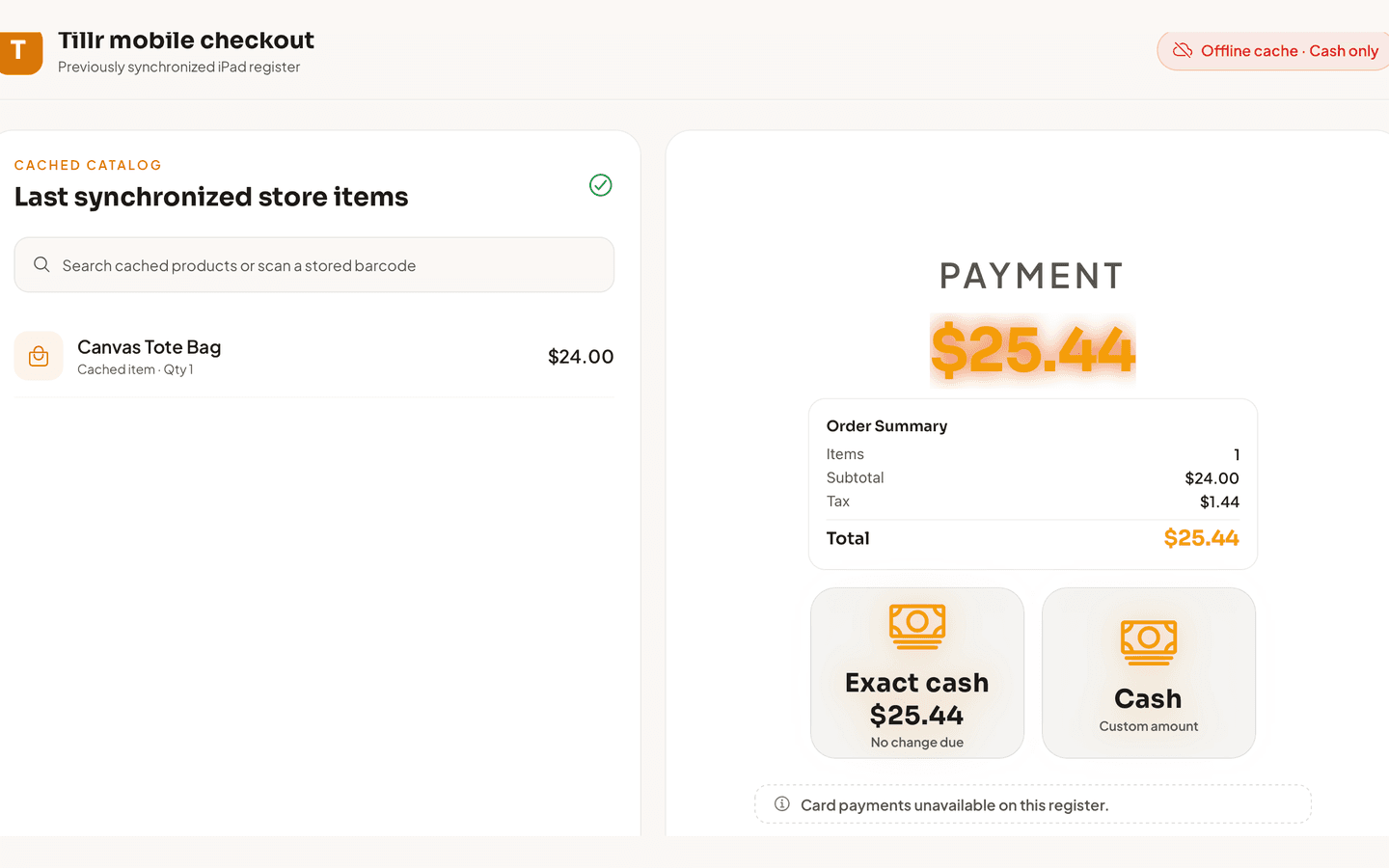
Tillr iPad offline checkout showing the last synchronized catalog, cash-only offline status, and Exact cash and Cash options.
How it works
Plain steps your team can follow at the counter or in the dashboard.
Search and scan from the locally cached catalog when offline.
Take cash payments and hold the sale until sync is available.
After reconnecting, review synced transactions in the dashboard.
Shop scenario
Internet drops on a rainy shopping day. Staff scan gift items from cache, take cash for each sale, and the manager reviews synced receipts once service is back.
Questions
The product catalog is cached on the device for search and barcode lookup during outages.
Yes. Queued offline sales sync when connectivity returns — review them to confirm counts and totals.
Add a few sample products, try the feature, and decide whether it fits your shop.