Can Tillr handle mixed categories in one sale?
One cart can include items from any category in your catalog.
Fast Checkout for gift shops and specialty stores
Scan-heavy checkout for mixed catalogs: barcode lookup, product search, scheduled discounts, and receipts by text or email when configured.

Common friction
Three problems gift shops and specialty stores run into with fast checkout.
Long lines build when every item needs a manual search.
Seasonal discounts are easy to forget when the rush hits.
Gift buyers want a receipt quickly before the next person steps up.
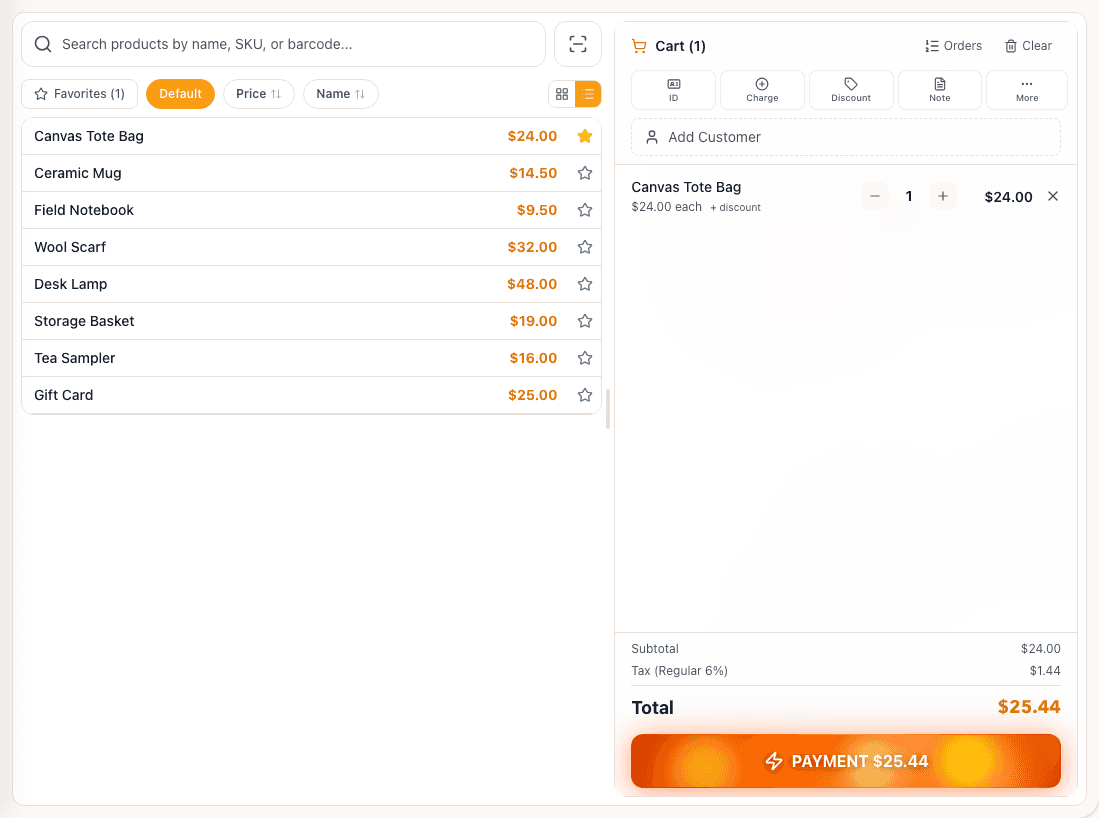
Tillr checkout screen with product list and an active cart.
How it works
Plain steps your team can follow at the counter or in the dashboard.
Scan barcodes or search the catalog to add items to the cart.
Apply scheduled promotions that match the cart automatically when rules are set.
Complete payment and send a receipt by text or email.
Shop scenario
Staff scan a card pack, two candles, and a mug, a holiday discount applies, and the customer gets a text receipt before leaving the counter.
Questions
One cart can include items from any category in your catalog.
Promotions you configure can apply when cart rules match during the sale.
Add a few sample products, try the feature, and decide whether it fits your shop.