Can we run sign-up bonuses?
Sign-up and campaign bonuses can be configured in loyalty settings where your plan includes them.
Loyalty Programs for gift shops and specialty stores
Run points on gift purchases, set redemption rules your team understands, and attach customers at checkout. Loyalty lives in the same Tillr catalog and reporting you already use.

Common friction
Three problems gift shops and specialty stores run into with loyalty programs.
Holiday buyers want a quick reason to return after the season ends.
Different clerks explain rewards differently when lines are long.
You are not sure which promotions actually brought people back.
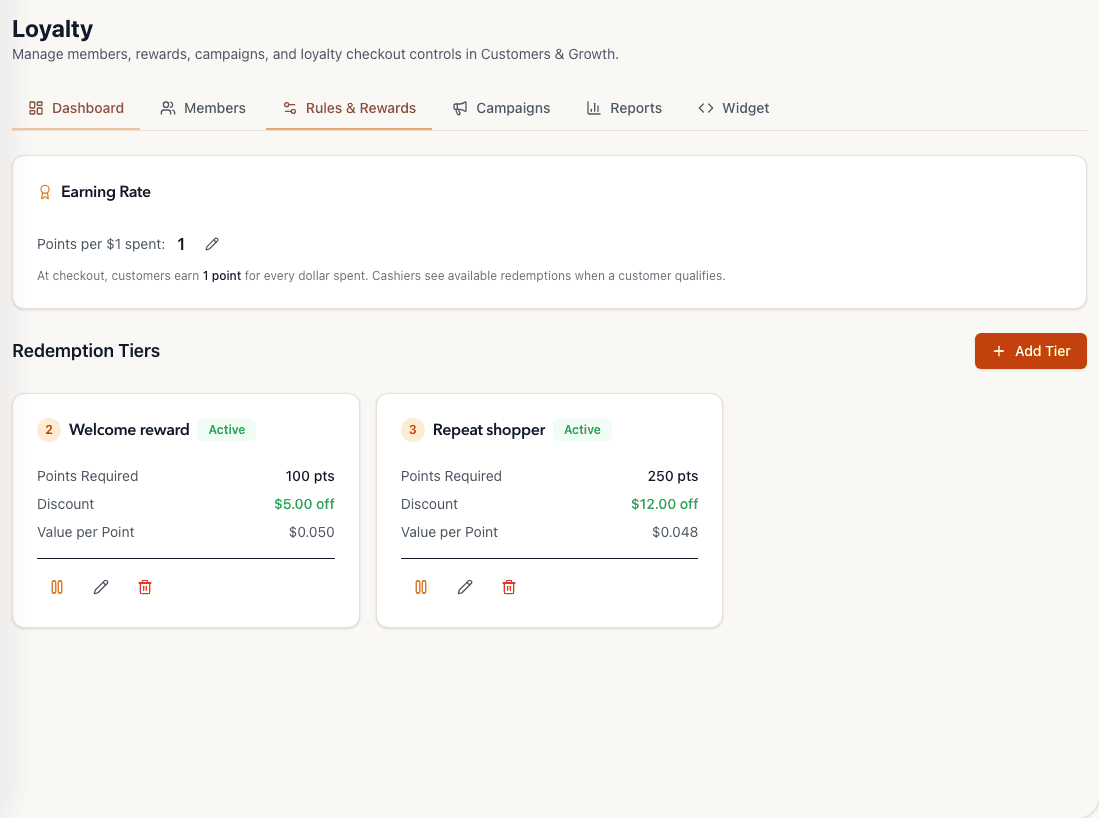
Tillr Rules & Rewards view showing a one-point-per-dollar earning rate and two redemption rules.
How it works
Plain steps your team can follow at the counter or in the dashboard.
Configure earn rates and reward tiers in the loyalty settings.
Attach customers during checkout and apply points or rewards in the same flow.
Review loyalty metrics in the dashboard after a busy weekend.
Shop scenario
A customer returns in January. Staff attach her profile, apply available points to a candle purchase, and the receipt shows the updated balance.
Questions
Sign-up and campaign bonuses can be configured in loyalty settings where your plan includes them.
Staff can attach a customer and see points at the counter. Full activity is in the dashboard.
Add a few sample products, try the feature, and decide whether it fits your shop.